Linesight
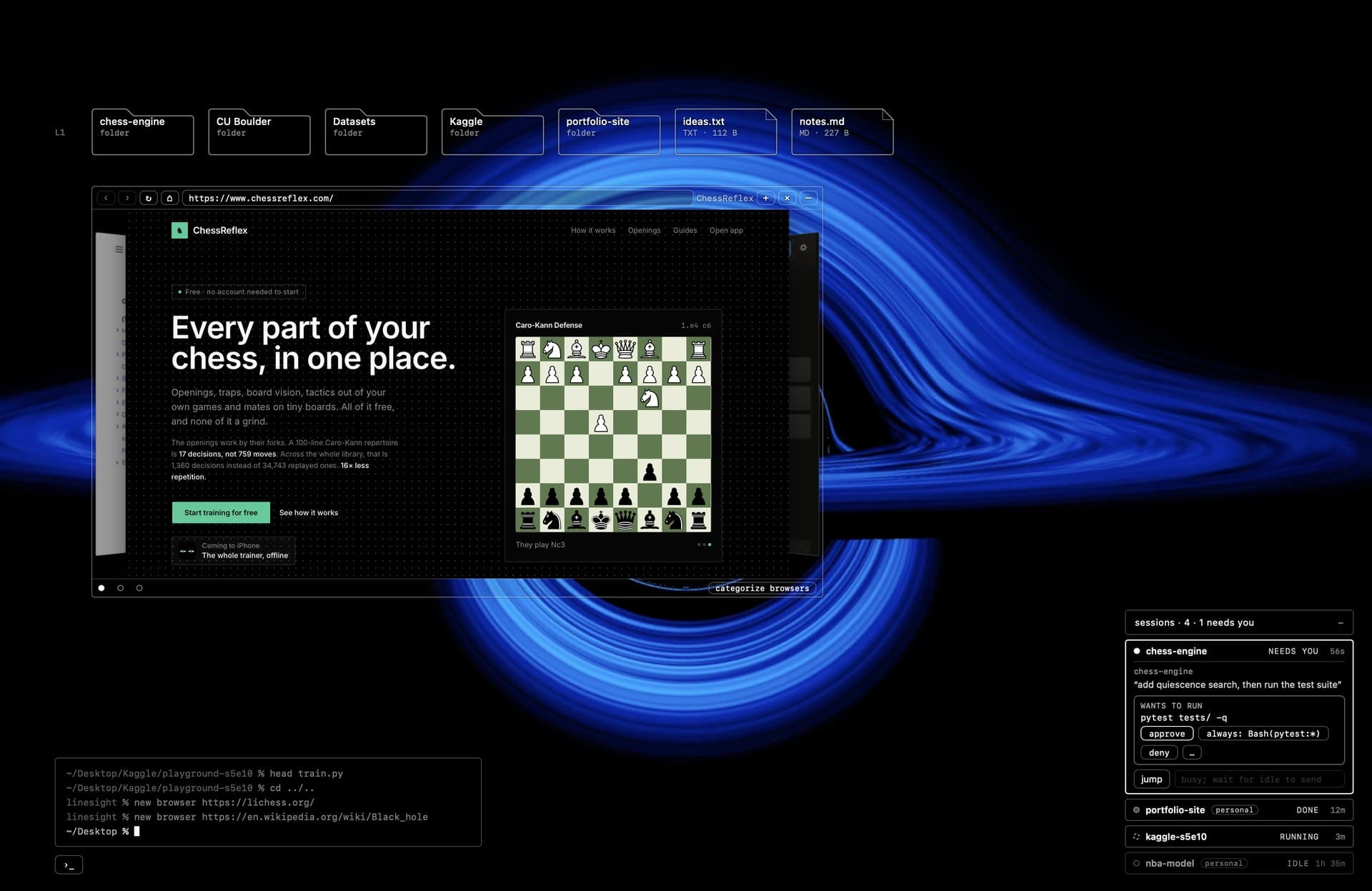
A native macOS app that turns the desktop from a picture with icons into a place you work from. It draws a transparent layer on the wallpaper, under app windows: folders as a tree that opens on hover and previews code, images and PDFs, docked browser windows, a terminal strip, live CPU and memory, video wallpaper, and a panel for every running Claude Code session that I can approve or answer from. A hotkey raises the whole layer above my windows. Built for my own Mac in five days.
Period
- Oct 2026
Role
- Sole engineer
Type
- macOS app
Tools
Why
Every desktop, whether it's macOS, Windows or a Linux environment like GNOME, treats the space behind your windows as a picture with some icons on it. I wanted mine to be somewhere I actually work. Finder's icons are a dead end, and when I have four Claude Code sessions going I end up hunting through Terminal tabs for the one that's waiting on me. So I built a layer that sits on the wallpaper and shows the things I actually look for: my folders, my sessions, a scratch browser, and something nicer than a static picture behind it all.
How it works
It's a Swift app, but the whole interface is plain HTML, CSS and JavaScript inside a WKWebView. The web view lives in a non activating panel one level above the desktop icons with its background turned off, so the lines look drawn straight onto the wallpaper. Clicks pass through to the desktop except inside the rectangles the page reports as its own, and the pointer is polled sixty times a second because WebKit only tracks the mouse in the key window. A hotkey raises the layer above everything when I want it.
The session cards read Claude Code's live session registry, read only, and check each record against the kernel (process alive, same start time, executable inside Claude's install folder) so a fake file can't put a card on my screen. A tiny second executable runs as a Claude Code hook and forwards permission requests over a Unix socket. From a card I can approve, always allow, or deny a prompt, or answer a question, without bringing the terminal forward. There's no network listener anywhere, an approval needs a real click on the overlay, and chained or network commands need a second one.
The wallpaper is an AVFoundation player in a desktop level window. It pauses when it's covered, when the Mac sleeps, and when I'm on battery.
Numbers
About 22,000 lines of Swift and 5,000 of JavaScript, written in October 2026. There are 718 XCTests, around 250 browser checks that run the same interface against a mock filesystem, and 20 geometry tests.
Status
It runs on my Mac every day, but it's version 0.1 and private. It only knows Terminal.app and one display, email was planned and never built, and idle CPU sits around 1% instead of the 0.3% I was aiming for. It also leans on a private WebKit key to make the view transparent, so it's never going to be an App Store app.